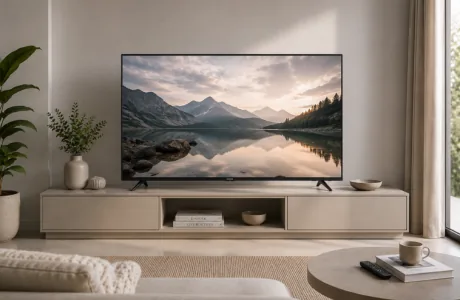

Yellow spots on a Mini LED TV screen can result from heat damage to the polariser or liquid crystal layer, ageing of the LEDs in the backlight, physical pressure on the panel, moisture intrusion, or a software-related colour calibration issue. The type and location of the spots can help identify the likely cause. For instance, a yellowish cloud appearing in a corner after months of use indicates LED ageing or heat damage. A sudden yellow smear after moving the TV suggests physical pressure. A soft yellow tint across the entire screen might be a simple picture settings problem that takes just a few minutes to resolve.
This guide explains the causes of yellow spots on Mini LED TV screens, how to diagnose the issue at home, which repairs you can handle yourself, which need to go to a service centre, and how to prevent these problems. We also include tips for Indian homes where heat, humidity, and voltage fluctuations are everyday challenges.
Yellow spots occur because the components inside a Mini LED TV screen wear out at different rates. A Mini LED TV uses thousands of tiny LEDs in a grid behind the LCD panel. Each LED produces blue light, which passes through a quantum dot or phosphor layer to create white light, and then through filters to produce colour. When any part of this process deteriorates, such as the LEDs, phosphor, polariser film, or liquid crystal layer, you will see discolouration on the screen.
In India, heat is the most common cause. Summer temperatures often exceed 40°C, and a TV located near a window, in a closed cabinet, or in a room without air conditioning can be subjected to constant thermal stress. Heat speeds up the breakdown of the polariser adhesive and the liquid crystal layer, leading to yellow patches. Voltage fluctuations, common in many Indian cities, can also cause uneven stress on the backlight LED drivers, leading some LEDs to age faster than others.
The key point is this: in Mini LED TVs, yellow spots are rarely a software problem; they are a signal that something inside the panel is wearing out.
Identifying the cause of yellow spots on your screen is essential for determining whether you can fix it yourself or need professional help. Here is a breakdown of each known cause, whether it can be reversed, and what to do about it.
| Cause | Reversible? | Fix |
| Surface dust/smudge | Yes | Clean with a dry microfibre cloth |
| Wrong backlight LEDs installed | Partial | Replace LED strips with the correct spec |
| Heat-induced polariser damage | No | Panel replacement required |
| Physical pressure on the screen | Unlikely | Professional assessment; panel may need replacing |
| Moisture/humidity ingress | Partial | Air out in a dry room; service if internal |
| LED ageing (parallel circuit) | No | Backlight strip replacement or panel swap |
| Faulty colour calibration (software) | Yes | Reset picture settings; update firmware |
One issue that surprises Indian buyers is the installation of incorrect LED replacements. If a repair shop uses warm-white backlight strips in a TV set designed for cool-white, the result is a constant yellow tint. This can be fixed by using the correct LEDs, but it requires an authorised service centre. This is one reason why Onida's availability of genuine parts is important when selecting a Mini LED TV brand in India.
Key takeaway: Always go to an authorised service centre for backlight repairs. Incorrect LED strips installed by unqualified technicians are a major cause of yellowing after repairs.
Yes, heat is a major cause of yellow spots on Mini LED TV screens, especially in India. The polariser film that lies over the LCD panel uses adhesive layers to attach to the glass. Exposure to sustained temperatures over 35–40°C can cause the adhesive to deteriorate and the polariser to separate slightly, leading to yellow discolouration in the area. Unlike smudge marks, heat-related polariser damage is internal and cannot be cleaned away.
The risk is highest in rooms that receive direct afternoon sunlight, in homes without air conditioning during the summer, and when a TV is positioned above a heat source. In Indian homes, placing a TV in a closed cabinet in a west-facing room creates the kind of sustained heat exposure that speeds up polariser breakdown. Onida designs its Mini LED TV range with cooling features and components that can handle Indian conditions, but even so, no TV is immune to heat beyond its limits.
Prevention rule: Maintain at least 10 cm of clear space around all sides of the TV for ventilation, and keep it out of direct sunlight and away from heat sources.
Before reaching out to a service centre, try these steps in order. Some yellow spots are surface-level or related to settings and can be quickly fixed at home.
Key takeaway: Avoid pressing a microfiber cloth against the screen to try to 'push out' a yellow spot. Physical pressure can shift liquid crystals, worsening the damage.
Preventing yellow spots is easier than fixing them. Here are the best steps for Indian homes:
The best way to prevent issues in India is to use a voltage stabiliser costing ₹500–₹1,500 connected to your TV's power supply. This can extend the backlight life of your Mini LED TV by several years.
The decision to repair or replace depends on the cause, the TV's age, and the repair cost compared to the current price of Mini LED TVs in India. A panel replacement for a 55-inch Mini LED TV usually costs between ₹15,000 and ₹30,000 at an authorised service centre, depending on the model. If your TV is under two years old, under warranty, and the issue is LED-related, repairing is almost always the best choice. If your TV is over five years old, the yellow spot is spreading, and repair costs exceed 40–50% of the TV’s current value, replacement is a smarter option.
| Factor | Repair | Replace | Onida Advantage |
| TV age | Under 3 years | Over 5 years | 2-year warranty standard |
| Spot size | Small, localised | Spreading or multiple | Service centres across India |
| Repair cost | Under 30–40% of TV value | Over 50% of TV value | Spare parts availability |
| Cause | Software/dust / minor LED | Panel damage/polariser | QD PRO MAX for longevity |
| Warranty status | In warranty — always repair first | Out of warranty — compare costs | Authorised service network |
For buyers looking to replace a Mini LED TV online, Onida's Mini LED TV range includes the 55-inch Mini LED QLED Google Smart TV (model MZ55MIN, available from ₹44,999) and the 65-inch version. These models feature the QD PRO MAX processor, Dolby Vision, Dolby Atmos, Google TV, MEMC for motion handling, and 120Hz/144Hz refresh rate options. These features are usually found in high-end models from global brands but are available here at a price that makes replacement a practical choice for most Indian households. Onida is a well-known Mini LED TV brand in India, with a broad authorised service network, which is just as important as the price when making a long-term investment.
Key takeaway: If the repair cost exceeds 40% of the current replacement value, check the current Mini LED TV price in India before committing to a repair.
Yellow spots on a Mini LED TV are generally preventable with proper placement, ventilation, and power protection. In Indian homes, using a voltage stabiliser and avoiding direct sunlight are the two most effective and cost-efficient steps. If you are considering an upgrade, Onida’s Mini LED TV range offers advanced features, durability suited for Indian conditions, and an accessible price that makes replacement a practical option.



Please dispose of e-waste and plastic waste responsibly.
For more information or e-waste pick up, please call 7490 9555 55 or
click here for more details.