
When you’re shopping for a 4K TV in India today, you’ll notice two numbers appearing frequently in the spec list: 60Hz and 120Hz. They refer to a TV’s refresh rate — and depending on how you watch television, this single specification can make a noticeable difference to your daily viewing experience.
Whether you’re hunting for the best smart TV in India for streaming cricket in 4K, for gaming on a PS5, or simply for family movie nights, understanding what refresh rate actually means — and what it doesn’t — will help you make a confident, informed decision. This guide explains everything clearly, without the jargon.
A TV’s refresh rate is the number of times per second the screen redraws the image it’s displaying. It is measured in Hertz (Hz). A 60Hz TV refreshes 60 times per second. A 120Hz TV refreshes 120 times per second — exactly twice as often.
In practical terms, a higher refresh rate means the television can display more frames of video per second. This becomes most relevant when the content you’re watching or the game you’re playing is itself running at a high frame rate. The more frames the screen can show per second, the smoother and sharper motion appears — particularly during fast-paced action.
For everyday watching — news, sitcoms, or daily soaps — most people won’t notice a meaningful difference between 60Hz and 120Hz. Where the difference truly becomes visible is during sport, action-heavy films, and gaming. And in a country where cricket is watched at a near-religious level of intensity, this matters more than many buyers initially realise.
To understand why refresh rate matters for fast content, you need to understand a concept called motion blur. When an object moves quickly across the screen — a cricket ball being bowled, a player sprinting down the wing, a car chase in an action film — each frame of video captures the object in a slightly different position. If the screen refreshes slowly, the brain perceives a smear or blur between frames, because the image doesn’t update quickly enough to keep up with the motion.
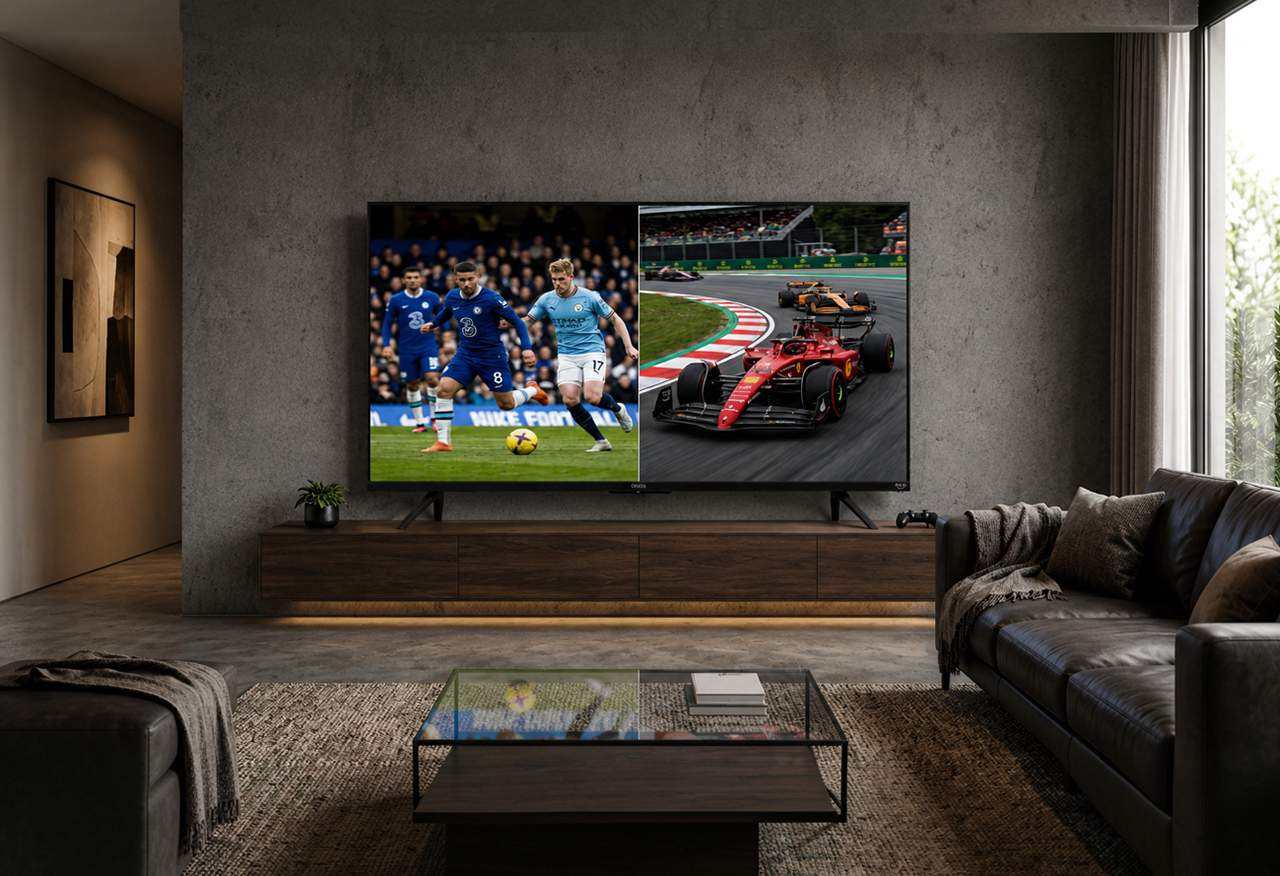
At 60Hz, this blur is present but manageable for most content. At 120Hz, the screen is updating twice as often, which means each frame captures finer, more precise positional changes. The result is a notably sharper, more defined image during fast movement — the cricket ball’s trajectory stays clear, the footballer’s feet remain distinct, the racing car’s livery is readable as it passes.
This isn’t a subtle improvement for sport fans. Anyone who has watched a high-stakes cricket match on a 120Hz 4K TV and then switched back to a 60Hz set will immediately notice the difference in how the ball is tracked against the pitch or the outfield.
Before diving deeper into specific use cases, here’s a clear reference table showing how 60Hz and 120Hz Ultra HD TVs compare across the scenarios that matter most to Indian viewers — including the role of MEMC, a technology found on many Onida 4K TVs that helps improve motion on 60Hz panels:
| Feature / Use Case | 60Hz 4K TV | 60Hz + MEMC | 120Hz 4K TV |
| Frames per second (native) | 60 fps | 60 fps (panel) | 120 fps |
| Motion clarity (sports) | Moderate | Good | Excellent |
| Cricket / fast action | Mild blur | Improved | Very sharp |
| Gaming (PS5 / Xbox Series X) | Capped at 60fps | No benefit | Full 120fps support |
| Input lag (approx.) | ~16ms | ~16ms+ | ~8ms |
| Everyday streaming (OTT) | Excellent | Excellent | Excellent |
| Movies at 24fps | Good | Good (may soap-opera) | Good (disable smoothing) |
| HDMI 2.1 required? | No | No | Yes (for 4K@120fps) |
| Price range | Budget to mid | Mid | Mid to premium |
Input lag figures are approximate. Actual performance varies by TV model, game mode settings, and signal source.
The table makes clear that 120Hz is most impactful for gaming and sport. For everyday streaming — which is how most Indian households use their TVs for the majority of viewing hours — a well-specified 60Hz 4K Ultra HD TV like those in Onida’s NEXG range delivers an excellent, crisp, and immersive experience.
MEMC stands for Motion Estimation, Motion Compensation. It is a frame interpolation technology built into many modern 4K TVs — including several models in Onida’s range of 55 inch Ultra HD 4K Smart TVs and 65 inch 4K Ultra HD TVs. MEMC analyses successive frames of a video and generates new, artificial frames to insert between them, effectively making the motion appear smoother than the source material would otherwise allow.
In practical terms, MEMC can make a 60Hz TV display content that looks significantly smoother during fast action — particularly helpful for cricket broadcasts, football matches, and action cinema. It does not turn a 60Hz panel into a true 120Hz panel, but it meaningfully bridges the gap for most casual and family viewers.
One thing worth knowing: MEMC can sometimes create what is called the ‘soap opera effect’ — making movies filmed at 24 frames per second look unnaturally smooth, almost like a live broadcast rather than a cinematic film. Most Onida TVs with MEMC allow you to turn this feature on or off, so you can enable it for sports and disable it when watching films.
If gaming is a significant part of why you’re buying a new 4K TV, then refresh rate may be the single most important specification to consider. The current generation of gaming consoles — including the PlayStation 5 and Xbox Series X — are capable of outputting games at up to 120 frames per second at 4K resolution. To unlock that capability, the TV must have a native 120Hz panel and, importantly, an HDMI 2.1 port.
On a 60Hz TV, these consoles will cap their output at 60 frames per second regardless of the game’s potential. A 120Hz TV doubles that, delivering visibly smoother gameplay, faster response to controller inputs, and a competitive edge in fast-paced multiplayer titles. Research suggests input lag drops from roughly 16 milliseconds at 60Hz to approximately 8 milliseconds at 120Hz — a difference that is perceptible in real-time gameplay even if it sounds small on paper.
For casual, single-player story games where you’re not competing against other players in real time, 60Hz remains perfectly enjoyable. But for anyone who games regularly and cares about how the experience feels — not just looks — 120Hz is worth the consideration.
Sport is where the 60Hz vs 120Hz debate is most visible to Indian viewers — and the answer is a clear yes, it does make a difference, though the degree depends on the sport and the camera work involved.
Most live sports broadcasts in India are transmitted at 50 or 60 frames per second. At 60Hz, a TV is showing each incoming frame exactly once per refresh, which is fine — but any motion within those frames can still exhibit slight blur or judder, especially during rapid camera pans or when tracking a fast-moving ball.
A 120Hz TV can show each incoming frame twice per refresh cycle, which reduces judder. When combined with the TV’s motion processing, this means the ball stays sharper in flight, players remain defined during sprints, and the camera tracks action more smoothly. For those watching IPL cricket, Kabaddi, or football on a large-screen 55 inch or 65 inch 4K Ultra HD TV, the difference between 60Hz and 120Hz during live sport is the kind of thing you notice the very first time you see it.
That said, with a quality MEMC implementation — as found in Onida’s NEXG series — a well-tuned 60Hz 4K TV can deliver a very smooth and satisfying sports viewing experience, particularly for viewers who are not making a side-by-side comparison.
It’s worth being clear about this: 60Hz is not a compromise. For the majority of content that most Indian families watch most of the time, a 60Hz 4K Ultra HD TV delivers a superb, detailed, and immersive picture.
Here’s where 60Hz is absolutely the right choice and more than sufficient:
The question isn’t whether 120Hz is better in absolute terms — it is. The question is whether the difference matters enough for your specific usage to justify the additional investment. Here are the clear cases where 120Hz genuinely earns its place:
Onida’s range of 4K Ultra HD Smart TVs is built to suit different budgets and viewing priorities — from the households who primarily stream and watch cricket, to the gamers and cinephiles who want the highest possible motion performance.
Onida’s NEXG series of 55 inch Ultra HD 4K Smart TVs and 65 inch 4K Ultra HD TVs are powered by the NEXG Processor for smooth, responsive performance; feature Google TV for seamless access to all major streaming platforms including Netflix, Prime Video, Disney+ Hotstar, and YouTube; and incorporate MEMC technology for improved motion clarity on fast-moving content. HDR10 and HLG support delivers a wide dynamic range for both streaming and live broadcast content.
Onida’s QLED range steps up further, combining 4K resolution with Quantum Dot technology, Dolby Vision and Dolby Atmos for a cinematic audio-visual experience, and a bezel-less design that commands attention in any room. Whether you’re looking for the best smart TV in India for a medium-sized bedroom or a 65 inch screen for the living room, Onida’s lineup offers a model matched to your needs — and at a price point that reflects the brand’s four-decade commitment to providing premium technology for Indian homes.
A 120Hz refresh rate means the TV redraws its image 120 times per second — twice as fast as a standard 60Hz TV. This results in smoother motion during fast-paced content like cricket, football, and gaming. It matters most when the content itself is running at a high frame rate, such as live sports broadcasts or games on a PS5 or Xbox Series X.
For most everyday viewing — OTT streaming, news, serials, and films — a 60Hz 4K Ultra HD TV is perfectly capable and delivers an excellent picture. The benefits of 120Hz are most visible during fast-moving content like live sport and gaming. If those aren’t a major part of your viewing, a well-specified 60Hz TV with MEMC technology like those in Onida’s NEXG range will serve you very well.
Yes, significantly so — especially if you’re gaming on a PS5 or Xbox Series X. These consoles can output games at up to 120 frames per second in supported titles, but only if connected to a TV with a native 120Hz panel and an HDMI 2.1 port. On a 60Hz TV, the console’s output is capped at 60fps regardless of the game’s capability. For serious or competitive gamers, 120Hz is a meaningful upgrade.
MEMC (Motion Estimation, Motion Compensation) is a frame interpolation technology that analyses successive frames and inserts artificially generated frames between them, making motion appear smoother on a 60Hz panel. It is particularly effective for sports and action content. Several Onida 4K TVs include MEMC, making them a smart choice for sport-watching households who don’t need the full 120Hz performance required by next-gen gaming.
Yes, particularly on larger screens. Most live cricket and football broadcasts are transmitted at 50 to 60 frames per second. A 120Hz TV can show each incoming frame twice per refresh cycle, reducing judder and motion blur. The ball stays sharper in flight, player movement is crisper, and camera pans across the ground feel smoother. On a 55 inch or 65 inch 4K Ultra HD TV, this improvement is visible and appreciated — especially over the course of a full Test match or IPL season.
It depends on your usage. If gaming on next-gen consoles or watching a significant amount of live sport makes up a meaningful part of your TV time, the investment in a 120Hz 4K TV pays off in a noticeably better experience. If you primarily stream movies and shows on OTT platforms, a 60Hz 4K Ultra HD TV — especially one with MEMC — will deliver excellent value. Onida’s NEXG range gives you strong picture quality, MEMC technology, and Google TV at a price point designed for the Indian market.
Refresh rate is one of those specifications where understanding the context matters as much as the number itself. A 120Hz 4K TV is genuinely superior for sport and gaming — but a well-built 60Hz 4K Ultra HD TV with MEMC is excellent for the bulk of what most Indian households watch most of the time.
The best approach is to match the TV’s capabilities to your actual viewing habits. Think about whether you game regularly, how many hours a week you watch live cricket or football, and how large your screen will be. Let those answers, rather than a spec sheet alone, guide your choice.
Onida’s range of latest 4K Ultra HD Smart TVs — in both 55 inch and 65 inch screen sizes — is designed to offer the right technology at the right price for Indian viewers. Whether you choose the NEXG series for its smart features and MEMC performance, or step up to the QLED range for Quantum Dot and Dolby Vision picture quality, you’re choosing a television built with India in mind.
Explore the full Onida TV range at onida.com and find the 4K TV that’s right for you.



Please dispose of e-waste and plastic waste responsibly.
For more information or e-waste pick up, please call 7490 9555 55 or
click here for more details.