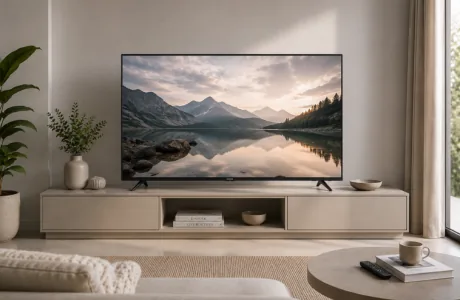

Buying a TV should be simple. Pick a screen size, choose a brand and start watching.
Then you reach the product page.
4K. QLED. Mini LED. HDR10. Dolby Vision. Refresh rate. MEMC. Google TV. Dolby Atmos.
Suddenly, choosing a television feels less like shopping and more like decoding a specification sheet.
The good news is that you don't need the most advanced version of every feature to get a great TV. What matters is choosing a combination that suits your room, viewing habits and the content you watch most.
A family watching streaming shows and cricket in the living room may need something very different from someone building a movie setup or connecting a gaming console.
This Smart TV buying guide breaks down the specifications that actually matter, so you can understand what you're paying for and choose a TV that makes sense for your home.
It's easy to assume bigger is always better. Sometimes it is. Sometimes it leaves you sitting three feet away from a giant screen wondering why everything feels enormous.
The right TV screen size depends primarily on your room and viewing distance.
A television for a compact bedroom has a different job from the main TV in a large living room. Before deciding on a screen size, think about:
Larger screens can make movies, sport and gaming much more immersive, particularly with 4K content. But the goal isn't to fit the largest television possible onto the wall.
Choose a size that feels comfortable from where you actually sit.
Onida's television range includes Smart TVs across multiple screen sizes, making it useful to compare options once you know what fits your room.
Screen size tells you how large the picture is. Display technology influences what that picture looks like.
You'll encounter terms such as LED, QLED, Mini LED and OLED while comparing TVs.
LED TVs use an LED backlight to illuminate the display. They remain a practical choice for everyday viewing and are available across a broad range of sizes and specifications.
QLED TVs add Quantum Dot technology to an LED-based display, helping deliver vivid colour and strong brightness.
This can make QLED particularly useful for a multipurpose living room where the TV is used throughout the day for streaming, sport, movies and regular television.
Onida currently offers 4K QLED televisions across different sizes and specifications.
Mini LED changes the backlighting system by using much smaller LEDs. More precise control over different areas of the backlight can improve contrast while supporting high brightness.
Mini LED and QLED can also work together.
Onida's Mini LED QLED TV range combines Quantum Dot technology with Mini LED backlighting.
If you're trying to decide between the major display types, read QLED vs Mini LED vs OLED: Which TV Technology Is Better? for a deeper comparison.
For most people shopping for a new main television today, 4K resolution is one of the specifications worth prioritising.
A 4K TV has a resolution of 3840 × 2160 pixels, providing significantly more picture detail than Full HD.
The difference becomes particularly relevant as screen size increases and when you're watching compatible high-resolution content.
Streaming platforms, gaming consoles and other modern sources increasingly support 4K content, making it a practical choice for a TV you expect to keep for several years.
But remember: buying a 4K television doesn't automatically make every piece of content true 4K.
Picture quality still depends on the source, streaming quality, connection and the TV's image processing.
When comparing Onida televisions, you'll find 4K Smart TV options across different display technologies and screen sizes.
Resolution determines how many pixels make up the picture. HDR is about the range those pixels can display.
HDR, or High Dynamic Range, is designed to improve the difference between bright and dark areas while supporting richer colour and detail in compatible content.
Two terms you'll frequently encounter are HDR10 and Dolby Vision.
HDR10 is a widely supported HDR format.
Dolby Vision uses dynamic metadata, allowing compatible content and displays to adjust HDR information across different scenes rather than relying on one set of instructions for the entire programme.
What does that mean when you're actually sitting on the sofa?
Bright highlights can look more impactful, dark scenes can retain more detail, and compatible movies and shows can feel more visually dimensional.
Of course, seeing "Dolby Vision" on a specification sheet isn't enough by itself. The quality of the display, brightness, contrast and source content all influence the final result.
Select Onida QLED and Mini LED televisions support Dolby Vision and HDR formats, so compare the actual specifications of the model you're considering.
If your TV spends a lot of time showing cricket, football, racing or gaming, pay attention to refresh rate.
Refresh rate, measured in hertz or Hz, describes how frequently the television can refresh the image on screen.
Motion-heavy content can benefit from stronger motion performance, particularly when objects or cameras move quickly across the frame.
This is also where you'll see technologies such as MEMC, or Motion Estimation, Motion Compensation.
MEMC is designed to make motion appear smoother by creating additional frames between existing ones.
For someone who mostly watches dramas and casual television, motion performance may not sit at the top of the buying list.
For a sports fan or gamer, it deserves much more attention.
When comparing TVs, check the actual refresh-rate specification and motion features of the model rather than assuming every 4K or QLED television handles motion identically.
A brilliant picture paired with thin, difficult-to-hear audio can take the shine off a new TV surprisingly quickly.
Televisions have become slimmer, which creates obvious physical constraints on built-in speakers.
So when comparing Smart TVs, check:
Dolby Atmos is designed to create a more immersive audio experience with compatible content and hardware.
But don't choose a television based on the Dolby Atmos badge alone. Look at the overall audio setup of the individual model.
This is especially relevant if you watch movies, sport or music frequently and don't plan to add a separate soundbar immediately.
Onida offers televisions with different audio configurations across its current range, so sound is worth comparing alongside display technology rather than after you've already chosen the TV.
A Smart TV is only as convenient as the interface you use every day.
Your television may become the central place for Netflix, Prime Video, YouTube, live television, music and other apps. You don't want to fight the interface every time you sit down.
Look for a smart platform that makes it easy to:
Onida's current portfolio includes Google TVs, giving users access to the Google TV experience and compatible apps and services.
If your household already uses Android phones, Google services or Google Assistant-compatible devices, that ecosystem may also influence your choice.
The smartest Smart TV isn't the one with the longest feature list. It's the one that gets you to what you want to watch without turning movie night into menu-navigation night.
Connectivity is easy to overlook because almost every television has HDMI and USB ports.
The important question is: does it have enough for your setup?
Think about what you may connect:
If several devices use HDMI, make sure the television has enough HDMI inputs for your setup.
Also check for features and connections such as:
HDMI ARC/eARC: Useful when connecting compatible sound systems.
USB: Helpful for external storage and compatible media.
Bluetooth: Useful for compatible wireless speakers, headphones and accessories.
Wi-Fi: Essential for streaming and other connected Smart TV features.
Don't just think about what you own today.
If you're likely to add a console or soundbar next year, having the right connectivity already available can save a lot of cable swapping later.
A TV doesn't live on a specification sheet. It lives in a room.
And the room can completely change what matters.
If your television faces windows or the room gets significant daylight, brightness becomes important.
QLED and Mini LED technologies can be particularly attractive in brighter viewing environments because of their brightness capabilities.
If most of your viewing happens at night or in a darker room, contrast and black levels become more noticeable.
A larger screen may make sense when the viewing distance is greater, particularly if several people watch together.
A more moderate screen size may be comfortable, while smart features and good sound can matter more than having the largest possible display.
Start with the room, then shortlist TVs. Not the other way around.
One of the easiest ways to narrow down your options is to ask what the TV will actually show.
Prioritise:
Prioritise:
Look closely at:
A balanced combination of screen size, picture quality, sound, easy smart features and connectivity may matter more than pushing one specification to the maximum.
This is why the "best Smart TV" isn't necessarily the television with the most impressive specification sheet.
It's the one whose strengths match what you watch.
A 120 Hz TV isn't automatically better for you than every 60 Hz television.
A QLED TV isn't automatically the right choice just because it uses Quantum Dots.
A larger screen isn't automatically better if the room is too small.
And a long list of smart features isn't particularly useful if the basics of picture, sound and usability don't suit you.
Instead, evaluate the TV as a complete package:
Screen size + display + resolution + HDR + motion + sound + smart platform + connectivity.
Then compare the models that deliver the right combination within your requirements.
That approach is much more useful than chasing whichever specification happens to have the biggest number.
Once you've worked out what matters to you, comparing actual models becomes much easier.
Onida's TV range includes Smart TVs across different screen sizes and display technologies, including 4K, QLED and Mini LED options.
If colour and brightness are priorities, explore the Onida QLED TV range.
For buyers looking for more precise backlight control alongside Quantum Dot technology, the Onida Mini LED QLED range is worth exploring.
And if the smart interface is a key part of your decision, compare Onida's Google TV range.
Don't start by asking which Onida TV has the most features.
Start with your room and your viewing habits, shortlist the specifications that matter, and then find the model that brings them together.
Before you buy, ask yourself:
Screen size: Does it suit my viewing distance and room?
Display: Do I need LED, QLED or Mini LED?
Resolution: Am I choosing 4K for my main television?
HDR: Which HDR formats does the TV support?
Motion: Is the refresh rate suitable for the sport or gaming I watch?
Sound: Will the built-in audio meet my needs?
Smart platform: Does it support the apps and services I regularly use?
Connectivity: Are there enough HDMI, USB and wireless options?
Room: Will the display perform well in my usual lighting conditions?
Usage: Am I paying for features I'll genuinely use?
If you can answer those questions, you're already in a much better position to choose the right Smart TV.
Start with screen size, display technology and resolution. Then compare HDR support, refresh rate, sound, smart platform and connectivity based on how you use the television.
For a new main television, 4K is worth considering, particularly for larger screens and households that watch compatible streaming, gaming and high-resolution content.
QLED uses Quantum Dot technology alongside an LED-based display to improve aspects such as colour and brightness. Whether it's worth choosing depends on your viewing environment, content and budget.
QLED refers to Quantum Dot technology used to enhance colour, while Mini LED refers to the use of smaller LEDs in the backlight for more precise light control. A television can use both technologies together.
For a full comparison, read QLED vs Mini LED vs OLED: Which TV Technology Is Better?
It can be particularly important for sports and gaming, where fast movement is common. Compare the refresh rate and motion-processing features of the individual TV rather than judging by display technology alone.
That depends on the room size, viewing distance, lighting and what you watch. A bright living room may place more importance on brightness, while a larger room may benefit from a larger screen. Choose based on the complete viewing environment rather than one specification.



Please dispose of e-waste and plastic waste responsibly.
For more information or e-waste pick up, please call 7490 9555 55 or
click here for more details.